Installing HARP
Download the package for your platform, then follow the steps for it below. Earlier versions are on GitHub.
HARP 4.0.0 · Release notes
- macOS: a universal binary, signed and notarized, for macOS 11 or newer on Apple silicon or Intel.
- Windows: an x64 executable, for Windows 10 or 11.
- Linux: x64 and arm64 archives, for glibc 2.35 or newer.
The Linux packages are built on the oldest supported Ubuntu, which sets that glibc requirement. They run on Ubuntu 22.04, Debian 12, Fedora 36, RHEL 10, openSUSE Leap 16, and Arch, or anything newer. At runtime HARP needs ALSA, FreeType, and X11, and loads libcurl for network requests, all of which a desktop installation provides. Under Wayland it runs through XWayland, which GNOME and KDE enable by default.
Note that the Windows executable is not code signed, so Windows will warn before running it the first time.
macOS
Download HARP-4.0.0-macOS.dmg.
Open the disk image, and drag
HARP.apponto theApplicationsfolder beside it: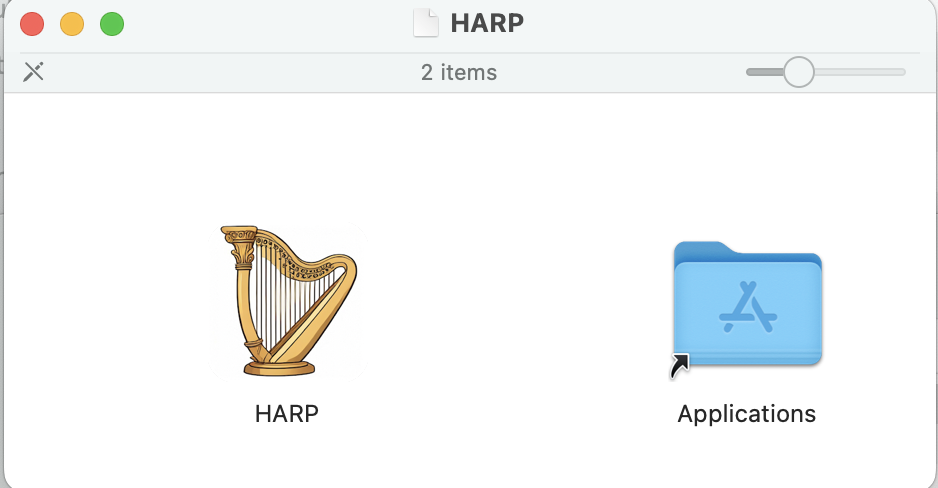
Eject the disk image, then open HARP from
Applications.
WARNING
Do not run HARP from the disk image. It runs from a read-only volume there, and a DAW set to open that copy loses it once the disk image is ejected.
Windows
- Download HARP-4.0.0-Windows-x64.zip.
- Extract
HARP.exe, and move it to a permanent location, e.g.,C:\Program Files\HARP\. - Open
HARP.exe. The first time it runs, Windows shows "Windows protected your PC", since the executable is not code signed. Select More info, then Run anyway.
Linux
Download the archive for your architecture, HARP-4.0.0-Linux-x64.tar.gz or HARP-4.0.0-Linux-arm64.tar.gz.
Extract the
HARPexecutable, and move it to a directory on yourPATH:bashtar -xzf HARP-*-Linux-x64.tar.gz mkdir -p ~/.local/bin mv HARP ~/.local/bin/Run
HARP.
First Launch
HARP opens on its Home tab, which lists the available models. The first time, a short tutorial walks through the interface, highlighting each part as it describes it. Help > Welcome Tutorial shows it again.
The demo files are short clips, MIDI files, and a score for trying the models, with a note on which models suit each. Next, set up HARP on its own or with your DAW.
Updating
To update HARP, install a newer release over the old one. Settings, API keys, and custom model paths live in a settings file of their own, which File > Settings > General > Open Settings File reveals, and carry over from one version to the next.