Logic Pro
Logic Pro opens regions in HARP as an external sample editor.
Link HARP
- Choose
Logic Pro > Settings > Audio, and open theFile Editortab. - Beside
External Sample Editor, selectHARP.appin yourApplicationsfolder.
Apple's guide to using an external sample editor covers the setting in more detail, and the video below walks through it.
Open Audio in HARP
Right-click the region, and choose
Bounce in Place...(Ctrl+B). The bounced region plays a new file of its own, which leaves the original untouched.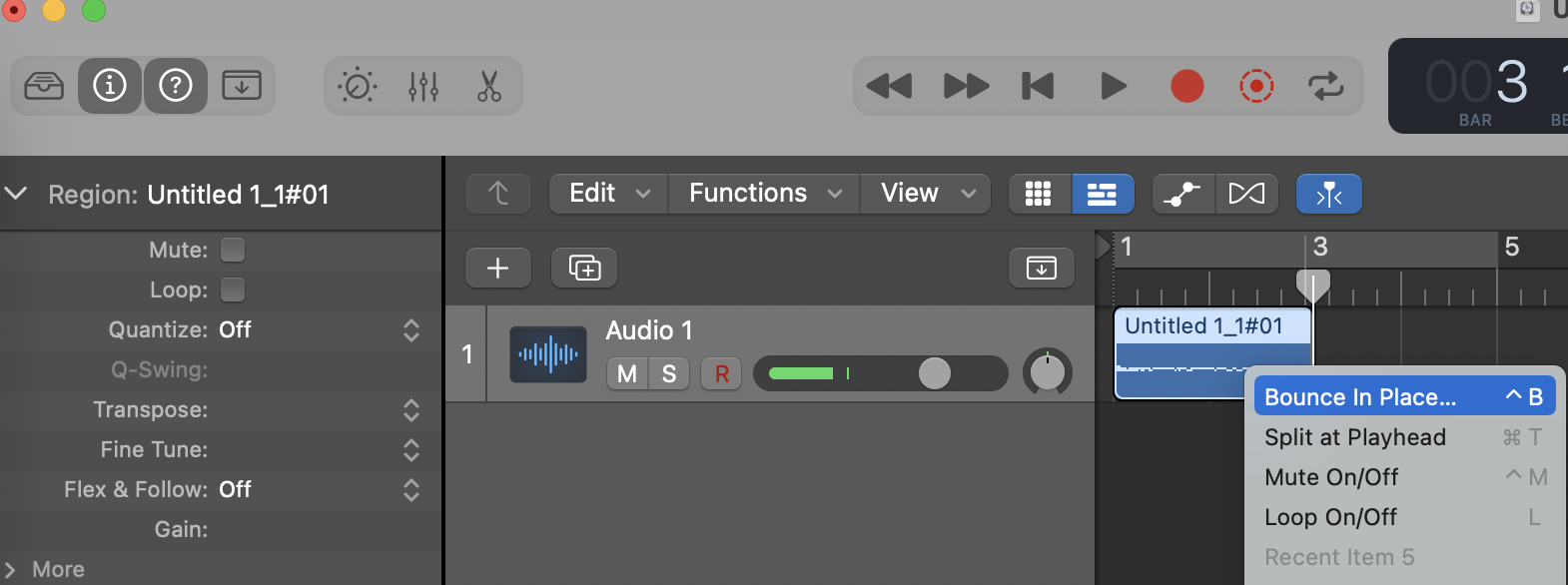
Select the bounced region, and press
Shift+Wto open it in HARP.Process the DAW-linked track and send the result back, as in The Round Trip. Logic Pro updates every region that plays the file.
To process part of a region, split it at the playhead (Cmd+T) before bouncing the excerpt.